Multiply your sales by 10x without extending your team
Boost customer retention through proactive follow-ups. Utilize Olivia for the first 2 minutes of every call and let your team close the deals.

Simple 5-step roadmap
Transform Cold Leads to High-Intent Buyers
Upload Contact List
To re-engage inactive customers, upload a customer list to call without having to hand dial them.
AI-Powered Call Distribution
AI-sales automation Call Distribution provide a personalized experience for outbound calls.
Automation of Intelligent SMS
If the cold leads don’t respond, follow up with booking links via text message.
Transfer and Schedule live calls
Calls from hot leads can be scheduled directly in the calendar or sent to the sales team.
Real-time call analytics
Following each call, live call summaries, recordings, and transcripts are added to CRM.
Built for brands for smarter client outreach
Transforming brands to automate dialing and improve pipeline growth.
Safeguard your business at every step
Built-In Compliance Shield




Audit In Progress
TCPA compliant
Olivia automatically implements TCPA compliance and keeps accurate records of opt-out requests.
Time-zone based calling
Calls made are based on the time zone of where your customers reside to comply with local laws.
Script Integrity
Mandatory disclosures are provided consistently without any deviation of the information.
Regulatory Audit trail
Every communication is recorded and stored, including recordings, transcripts, and time stamps.
Consent management
Opt-in and opt-out will be tracked for you through calls, through texting, and through emailing.
Multi-region Compliance
Regulations are monitored for all states (Ex: California, Texas, etc.)
Your next step starts here
Know how Olivia converts cold leads to real clients
Step-by-Step Call Setup
Set up your first campaign under 2 minutes
Rebecca’s dashboard gives recruiters full visibility into interview progress, candidate scores, and funnel health, without juggling tools. Below you can see Rebecca’s dashboard views in action.
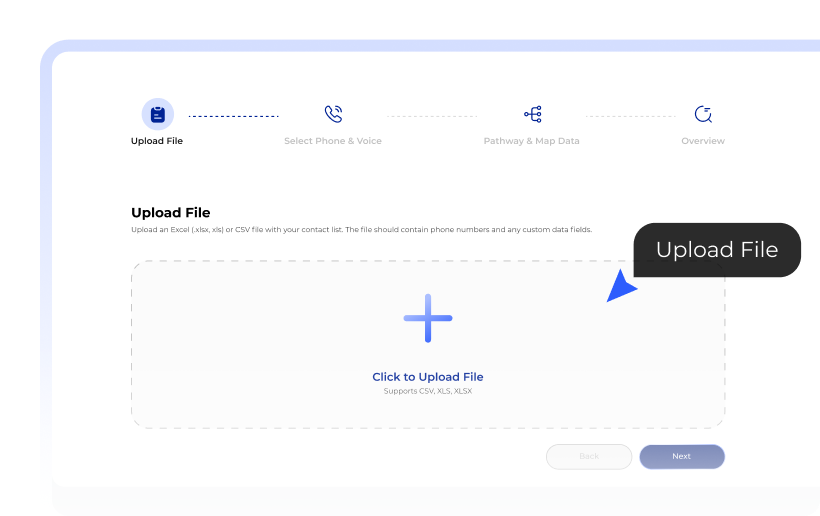
Step 1: Upload Contact List
To begin adding your new contacts, click the upload (+) button and choose your Excel or CSV file. If you choose the wrong document, you can select the remove option and then upload the correct file before you continue.
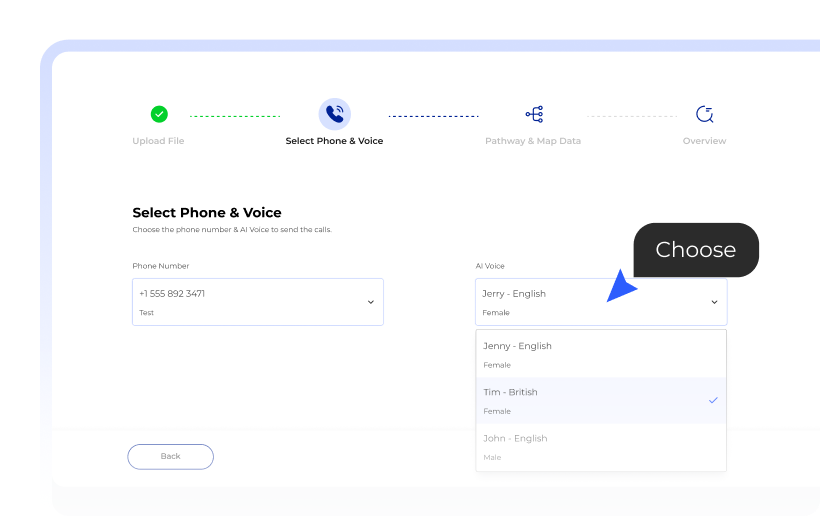
Step 2: Choose Outbound Caller ID & Persona
Choose from the dropdown list the Outbound Number you want to use for your campaign. Then choose from the AI Personas for your outbound number that best supports your brand personality and/or locality.
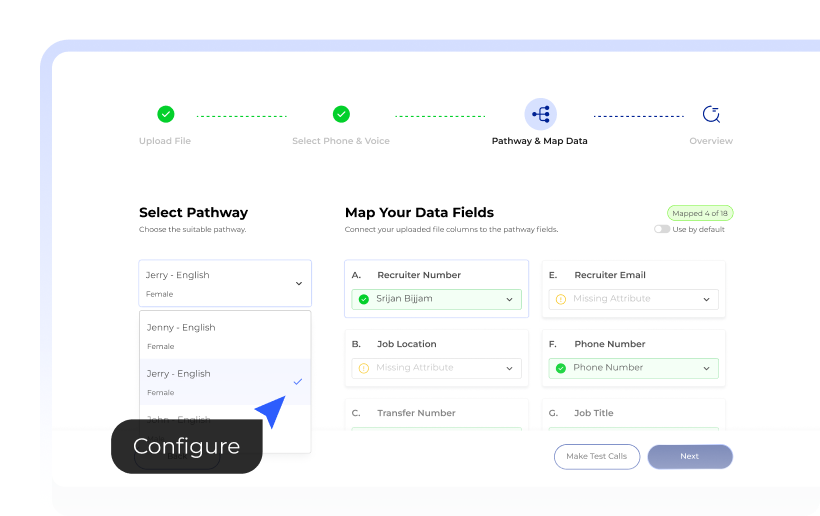
Step 3: Configure Strategy & Pathway
Select your Strategy: General, Acquisition, or Win-back, and the Olivia AI Outbound Calling Software will automatically map your Excel or CSV Spreadsheet Data fields to the required variables. During the configuration process, you can switch back and forth between your custom input variable data and the default variable data.
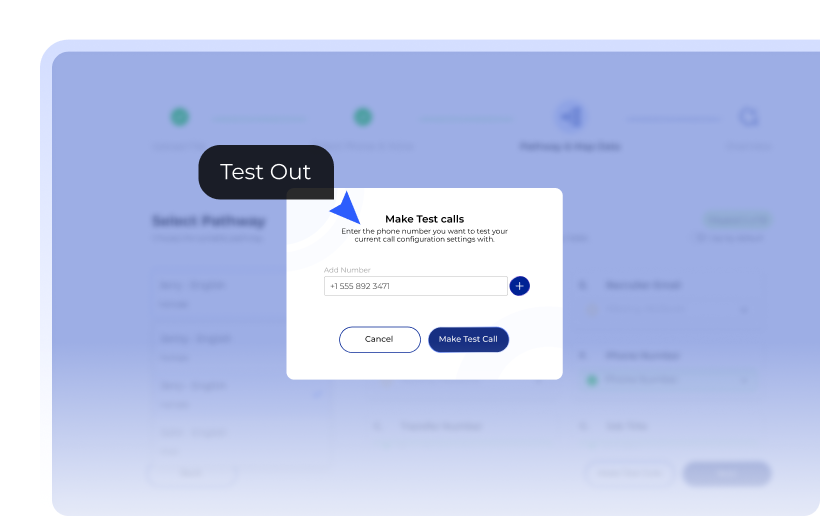
Step 4: Run a Test Call
To test the workflow before launching your campaign, run a test call. This will allow you to call yourself and listen to the overall conversation flow, how AI customer engagement software handles objections, and audio
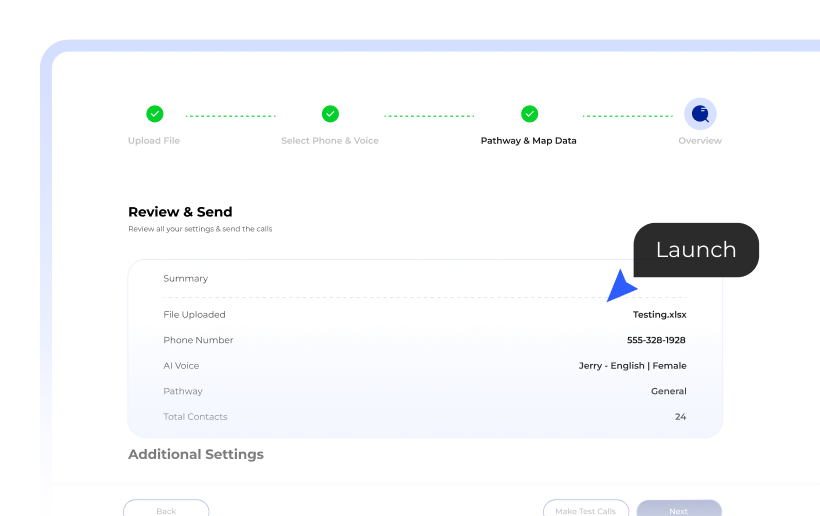
Step 5: Validate & Launch
Once the configuration is set up with outbound number, pathway, data to the exact variables, and the CSV or Excel File was processed completely, you will be ready to launch your AI sales platform engine to watch it update your real-time call activity and conversion statistics on the dashboard.
Improve results with real-time insights
Call Logs & Analytics
Rebecca’s dashboard gives recruiters full visibility into interview progress, candidate scores, and funnel health, without juggling tools. Below you can see Rebecca’s dashboard views in action.
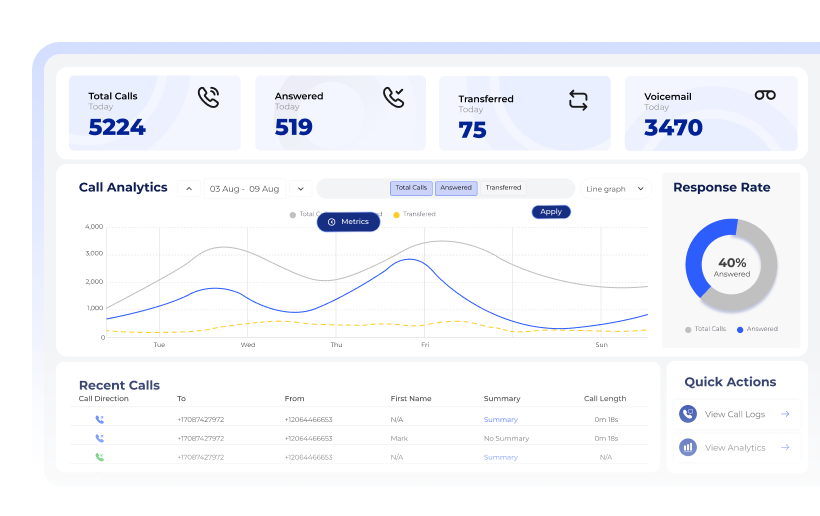
Dashboard
Manage all operations from a unified dashboard. Track the number of calls, responses to your prospects, and AI-generated summary of all of your interactions.
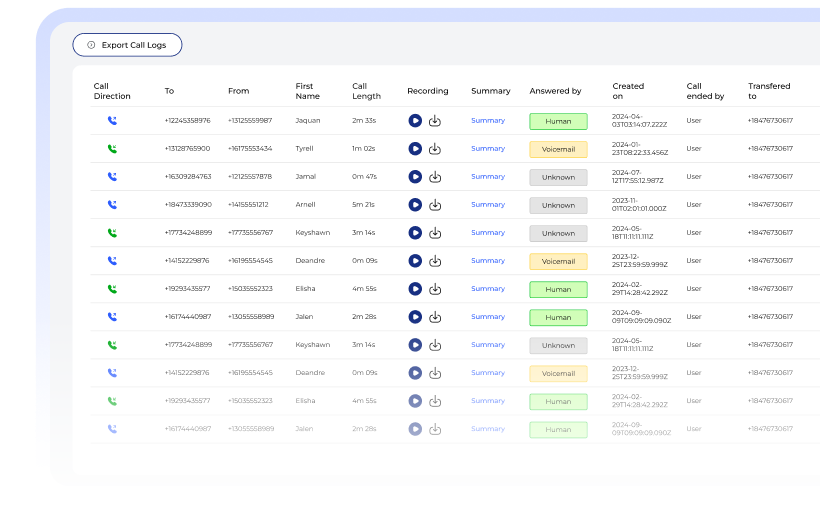
Call Logs
A complete list of your call history, including a summary of every call, the audio recording of every call, and if the call was answered or not, or received your voicemail. You can filter your call logs by date, status, etc., and you can also export your data or track your live transferred calls made by AI sales automation tool.
Active Calls
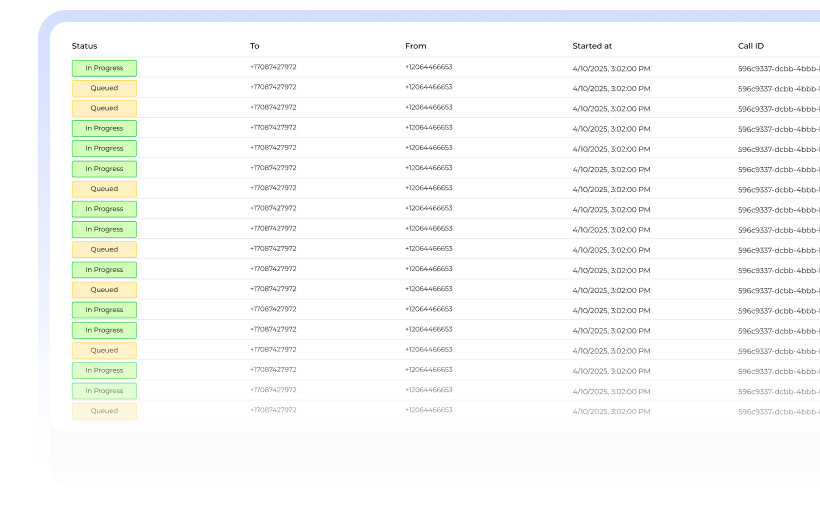
Thousands of calls can be processed simultaneously every day from the database. All customer data gets updated in real-time including active and queued calls, giving transparency in the operations and performance.
Call Analytics
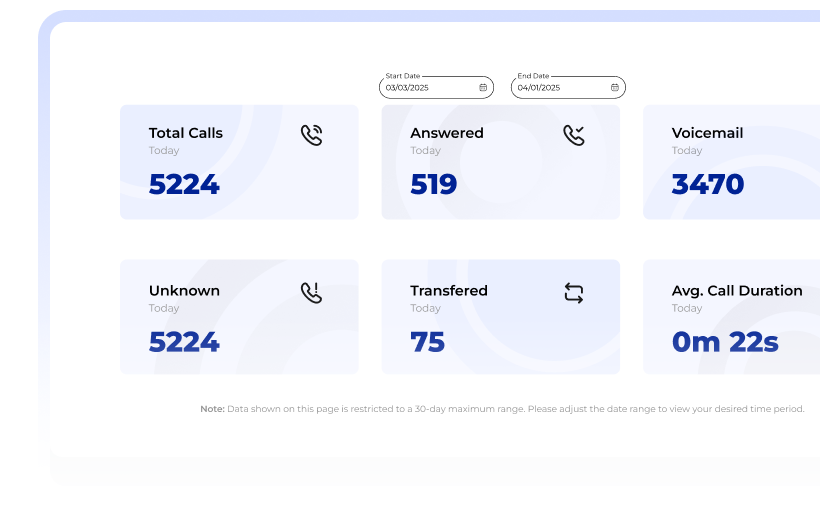
Convert raw voice data from each call into actionable business intelligence. Track the number of times your calls were answered, transferred to another department, and the average length of time spent per call to maximize the return on investment.
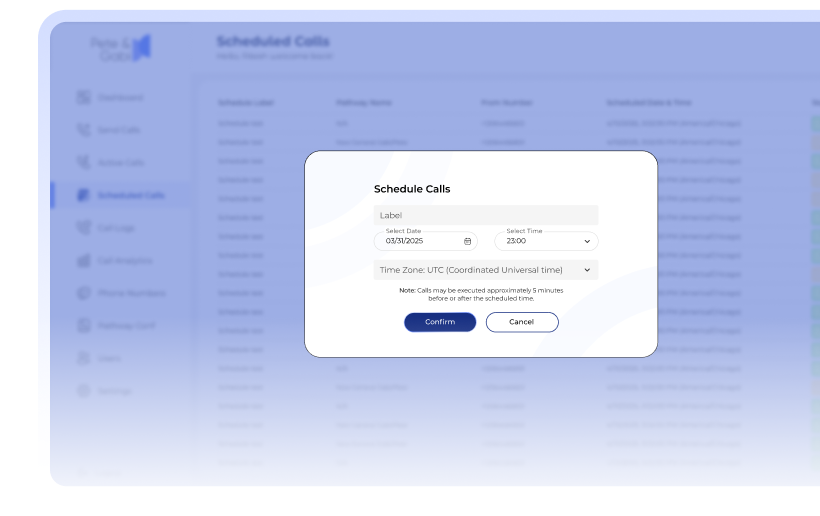
Schedule Calls
Schedule calls based on time zones to operate efficiently and maximize productivity.