
Send Every Caller to the Right Place, Every Time, with AI Call Routing
AI Call Routing for Businesses
Stop losing customers to transfers, dead ends, and wrong departments. AI call routing understands why a customer is calling and directs them, or transfers them, to the right person, department, or resource, instantly and without a menu to navigate.


Intelligent Call Management
What Is AI Call Routing?
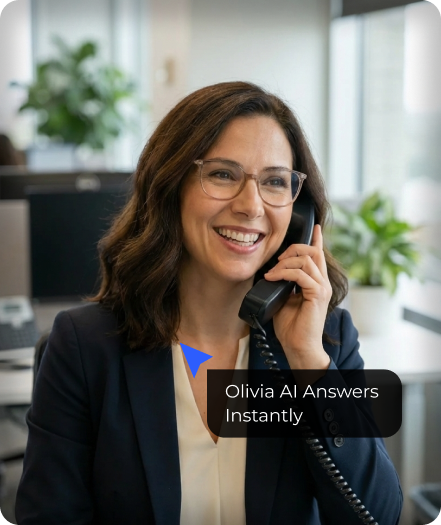
AI call routing is the use of conversational voice AI for routing incoming calls based on what a caller says, rather than the buttons they press. It's AI for directing customer calls to the right destination automatically, whether that's a department, a specific employee, or a live agent.
Traditional call routing depends on rigid IVR menus: press 1 for sales, press 2 for support. AI call routing replaces that experience with a natural conversation. The caller explains what they need, and the system figures out where the call should go.
Businesses use AI call routing to:
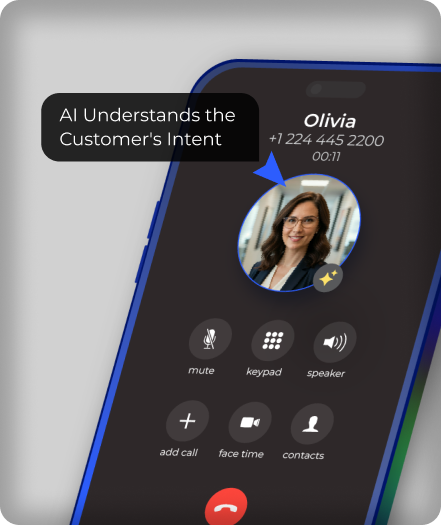
Understand the caller's intent from natural speech
Route calls to the correct department automatically
Identify high-priority or emergency callers
Use AI for transferring phone calls to the right person the first time
Reduce call transfers and dead-end menus
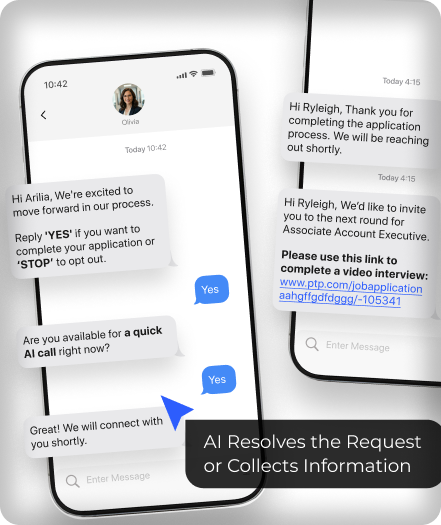
Capture context before a live agent picks up
Apply different routing rules by time of day, caller type, or urgency
The result is fewer misdirected calls, shorter wait times, and a smoother experience for every caller.
Simple. Intelligent. Effective.
How AI Call Routing Works


Ready to automate your calls?
AI that Delivers Growth
What Can AI Call Routing Do?
AI for Routing Incoming Calls
Natural language requests
Multi-topic calls
Ambiguous or unclear requests
Follow-up clarifying questions
Olivia AI call handling listens to what a caller says instead of forcing them through a rigid menu, so every incoming call is routed based on real intent.


AI for Directing Customer Calls
Sales
Support
Billing
Operations
Olivia AI customer support agent directs customer calls to the right team automatically, cutting down on misdirected calls and time spent bouncing between extensions.


AI for Transferring Phone Calls
Warm transfers
Call summaries for agents
Reduced repeat information
Live agent handoff
When a live person is needed, Olivia AI handles transferring phone calls with a summary of what the caller has already said, so they never have to repeat themselves.


AI for Routing Calls to the Right Department
Department-specific rules
Team availability
Escalation paths
Business-specific workflows
Routing logic can be configured department by department, so calls land with the team best equipped to handle them, not just the first person who picks up.


Prioritize Urgent Callers
Emergency requests
VIP or existing customers
Time-sensitive issues
After-hours escalations
Olivia AI caller recognizes urgency in a caller’s language and routes high priority calls ahead of routine ones.


Route Calls Around the Clock
Call volume and staffing don’t always line up, especially outside business hours. Olivia AI applies the same intelligent routing logic 24/7, so calls reach the right place, or are captured and logged, no matter when they come in.


Real Business Value
Benefits of AI Call Routing Software
Fewer Misdirected Calls
Because routing is based on what the caller says, not which button they guessed, calls reach the right place far more often.
Shorter Wait Times
Callers skip the menu entirely, cutting the time between dialing and reaching the right person or resource.
Better Customer Experience
A natural conversation feels more professional and less frustrating than pressing through a multi-level phone tree.
Reduced Load on Your Team
Fewer misrouted calls means fewer transfers, fewer repeated explanations, and less time wasted redirecting callers.
Context-Rich Handoffs
Agents receive calls with a summary of what the caller already said, instead of starting the conversation from zero.
Consistent Routing Logic
Rules are applied the same way every time, regardless of call volume, time of day, or who's on shift.
Ready to automate your calls?
Beyond The Phone Tree
AI Call Routing vs Traditional IVR Menus
•
Traditional IVR
Routing
Press-button menu options
Fixed, limited paths
No context passed to agents
Same experience for every caller
Frustrating for complex requests
Static rules, rarely updated
•
AI Call Routing
Natural spoken conversation
Dynamic routing based on intent
Full context passed on transfer
Adapts to urgency and caller type
Handles multi-part or unclear requests
Rules adjustable in real time
Beyond The Phone Tree
AI Call Routing vs Traditional IVR Menus
•
Traditional IVR Routing
•
AI Call Routing
Press-button menu options
Fixed, limited paths
No context passed to agents
Same experience for every caller
Frustrating for complex requests
Static rules, rarely updated
Natural spoken conversation
Dynamic routing based on intent
Full context passed on transfer
Adapts to urgency and caller type
Handles multi-part or unclear requests
Rules adjustable in real time
Built for Every Industry
Industries That Benefit from an AI Call Routing
Businesses across every industry rely on AI call routing to cut down on misdirected calls, speed up response times, and get callers to the right department without a frustrating phone tree.
Healthcare
AI call routing directs patient calls to the right destination automatically, scheduling to the front desk, billing questions to administration, and urgent medical concerns to on-call staff, so nothing gets stuck in a generic queue.
Law Firms
AI call routing sends new client inquiries to intake, existing case questions to the assigned attorney or paralegal, and urgent matters straight to the right person, instead of a caller leaving a voicemail and waiting for a callback.
Real Estate
AI call routing connects buyer and seller inquiries to the right agent, directs property-specific questions to the listing agent, and routes urgent issues, like a lockbox problem during a showing, immediately.
Property Management
AI call routing separates tenant maintenance requests from leasing inquiries and owner calls, sending each to the right team and flagging emergencies, like a heating outage or a break-in, for immediate attention.
Home Service Businesses
AI call routing for plumbing, HVAC, electrical, and other home service companies distinguishes between routine scheduling calls and true emergencies, routing urgent jobs directly to an on-call technician rather than a general queue.
Financial Services
AI call routing directs account questions, loan inquiries, and advisor requests to the appropriate specialist, reducing the back-and-forth transfers common in multi-department financial institutions.
AI Call Routing Explained, Step By Step
AI Call Routing Use Cases
Do It RIght
AI Call Routing Best Practices
Map Your Routing Logic Before You Automate
Document how calls should flow today, departments, escalation paths, priority rules, before configuring the AI.
Keep a Path to a Human
Even the best AI call routing setup should include a clear way to reach a live person when needed.
Review Call Outcomes Regularly
Use call analytics to spot patterns in misrouted calls or bottlenecks and adjust routing rules accordingly.
Personalize Routing by Caller Type
Route returning customers, high-value accounts, or urgent issues differently than general inquiries.
Update Rules as Your Business Changes
Revisit routing logic whenever your team, departments, or hours of operation change.
Trusted by Global Brands
Why Businesses Choose Olivia AI for Call Routing
Olivia AI combines conversational voice AI with configurable routing logic to help businesses direct every call to the right place, without a rigid phone tree.
With Olivia AI, businesses can:
Route calls based on natural conversation, not button presses
Apply custom rules by department, priority, or time of day
Transfer calls to live agents with full context


Reduce misrouted calls and repeat transfers
Handle inbound call routing at any volume
Operate around the clock
Whether you're a small business with one routing path or an organization with dozens of departments, Olivia AI adapts to how your business operates.
Ready to automate your calls?
What To Look For
AI Call Routing Features
Natural Language Understanding
The system should route based on what’s said, not require callers to select from a list of options.
Custom Routing Rules
Ability to configure routing by department, priority, time of day, or business-specific logic.
Live Agent Transfer with Context
Warm handoffs that pass along call details, so agents aren’t starting cold.
CRM and Calendar Integration
Routing decisions that can factor in existing customer data or scheduling availability.
Call Analytics
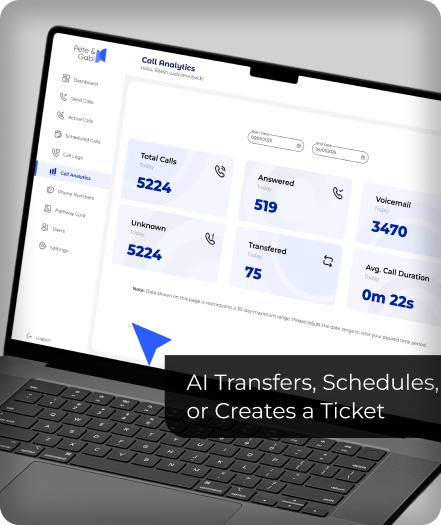
Visibility into where calls are being routed, how often, and where bottlenecks occur.
After-Hours Handling
A defined process for routing, capturing, or escalating calls when no one is available.
FREQUENTLY ASKED QUESTIONS
How AI call routing is different from a standard IVR menu?
A traditional IVR routes calls based on which number a caller presses. AI call routing routes calls based on what the caller says, which handles more complex or unclear requests far more accurately.
Can AI call routing transfer calls to a live person?
Yes. When a live agent is needed, Olivia AI transfers the call along with a summary of the conversation, so the caller doesn’t have to repeat themselves.
Can routing rules be customized for my business?
Yes. Routing logic can be configured around your departments, team availability, priority customers, and hours of operation.
Is AI call routing suitable for small businesses?
Yes. AI call routing for small businesses gives lean teams the same intelligent call handling as a much larger organization, without adding staff.
Can AI call routing handle urgent or emergency calls differently?
Yes. Olivia AI can recognize urgency in a caller’s language and prioritize or escalate those calls ahead of routine inquiries.
Does AI call routing work for sales teams specifically?
Yes. AI call routing for sales teams can send inbound inquiries to available reps or route callers directly to the rep already assigned to their account.
What are some best practices before setting up AI call routing?
Map your current call flow and escalation paths first, keep a clear path to a live person, and review call outcomes regularly to refine routing rules over time.
Does AI call routing work outside business hours?
Yes. Olivia AI applies the same routing logic 24/7, so calls are handled, captured, or escalated appropriately even when your office is closed.
Related Solutions
Explore more ways Olivia AI can support your business communications:
Ready to Route Every Call to the Right Place?
Olivia AI helps businesses replace rigid phone menus with intelligent, conversation-based call routing that sends every caller where they need to go, the first time.
Discover how AI call routing can reduce transfers, shorten wait times, and improve every caller's experience.