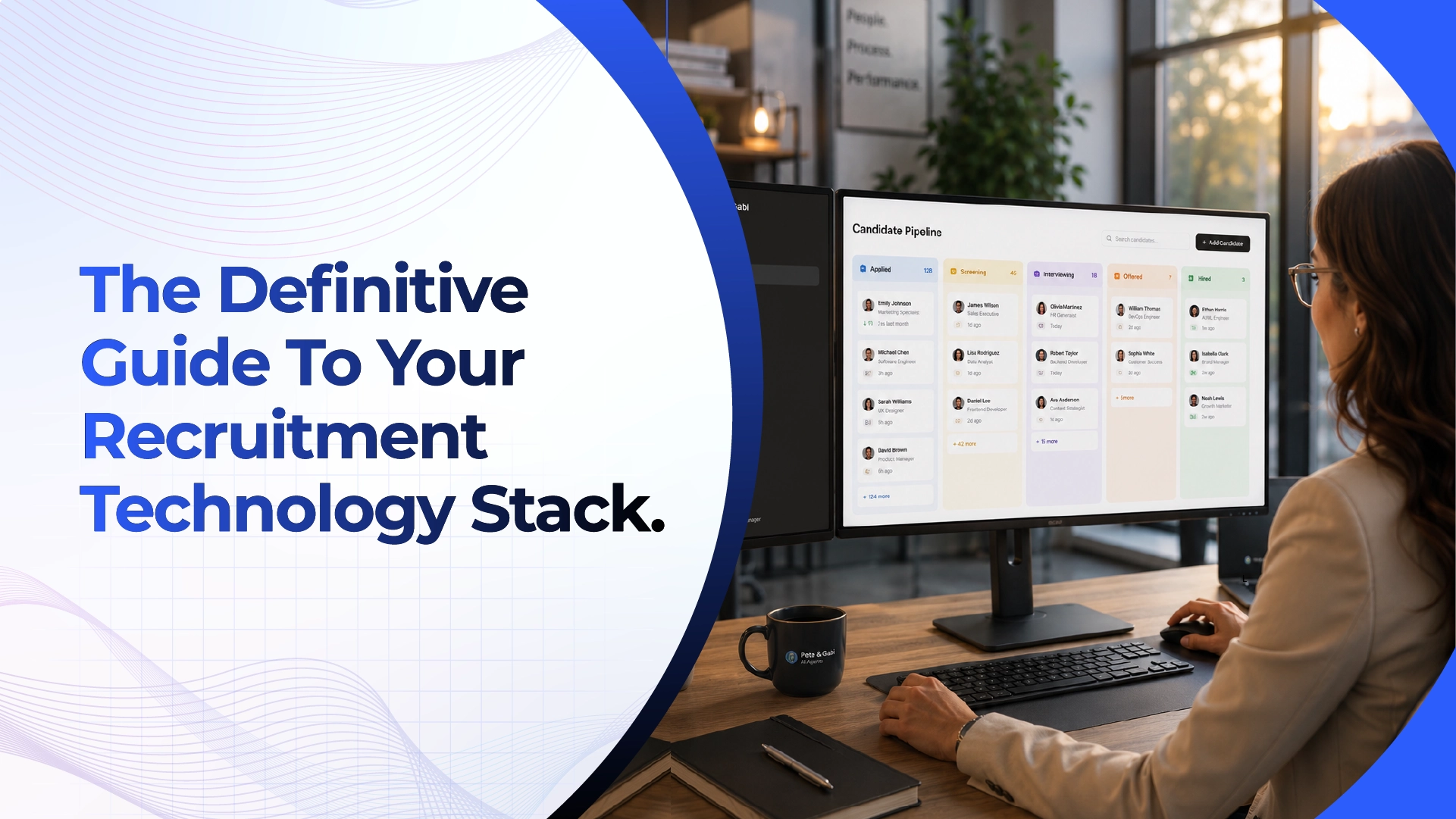
In the modern era of talent acquisition, it is almost impossible to manage candidate pipelines without a dedicated digital infrastructure. Job seekers are applying for jobs thru easy-apply features in multiple career sites, and human resources departments are inundated with hundreds of resumes for a single open requisition. When you try to organize, review, and evaluate this tidal wave of incoming applications using manual spreadsheets, scattered email threads, and paper files, you will lose talent, run up against compliance risks, and experience major recruiter burnout.
To bring some order to this operational chaos, companies use specialized foundational technology. But as artificial intelligence provides new ways to automate candidate evaluation, hiring teams are often left wondering how these new intelligent tools fit with their existing databases.
If you’re a business leader or talent professional looking to modernize your hiring process, this comprehensive guide will help. It breaks down foundational recruitment software, explains how does an ATS work from start to finish, outlines the inherent limitations of these systems, and reveals exactly how intelligent conversational screening layers fit seamlessly into the software you already use.
What is an applicant tracking system (ATS), in plain terms?
To put it simply, an ATS is the ultimate Customer Relationship Management (CRM) platform designed specifically for recruiting and hiring.
According to Gartner’s Information Technology Glossary, an applicant tracking system is a software application used for the electronic management of recruitment and hiring processes. Essentially it’s the digital command center for your whole talent acquisition team. The core ats meaning is all about centralization – it takes the disparate pieces of hiring (resumes, interview notes, email communications, and compliance documents) and puts them in one secure, searchable database.

Unlike a standard email inbox or a static spreadsheet, modern ats software is highly dynamic. It automates the administrative busywork of hiring. The software automatically pushes that listing to dozens of job boards when an employer opens a new position. When candidates apply, the system parses their resumes, pulls out their contact information and builds a single digital profile that hiring managers can see, rate and move thru customizable pipeline stages.
How does an ATS actually work, from job posting to hire?
The primary value of foundational recruitment software is workflow standardization. When a company uses this technology, every single candidate follows the exact same structured path.
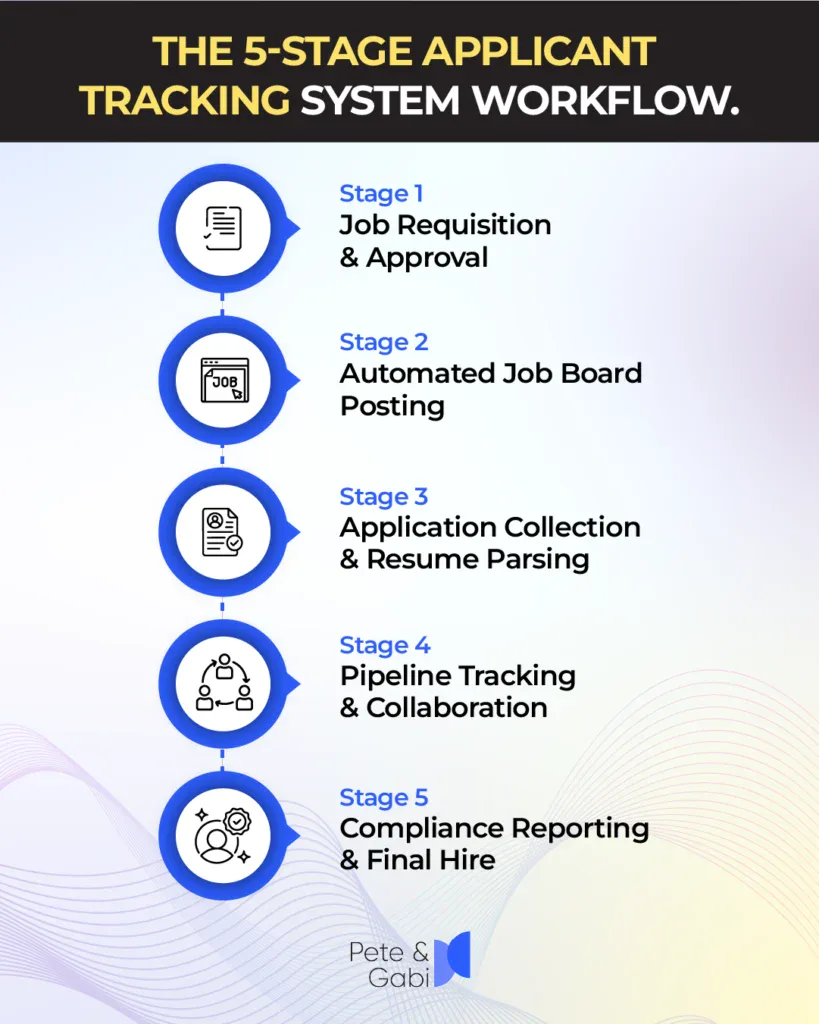
To provide a deeper operational view, here is how the core functions support the human resources team at each stage of the hiring lifecycle:
| ATS Core Function | Operational Action | Benefit to the Hiring Team |
| Requisition Creation | Standardizes job descriptions and routes them to department heads for budget approval. | Eliminates rogue hiring and ensures alignment on salary bands before a job goes live. |
| Multi-Channel Posting | Distributes the approved job listing to LinkedIn, Indeed, Glassdoor, and the company career site with one click. | Maximizes candidate reach without requiring recruiters to log into 10 different websites. |
| Resume Parsing | Automatically reads incoming PDFs and Word documents, extracting skills, education, and work history into a uniform profile. | Saves recruiters thousands of hours of manual data entry and formatting. |
| Pipeline Management | Tracks candidate movement across visual stages (e.g., Applied, Phone Screen, Panel Interview, Offer). | Provides real-time visibility into pipeline bottlenecks and candidate status for all stakeholders. |
| Compliance & Reporting | Logs every action, email, and scorecard. Generates Equal Employment Opportunity (EEO) and time-to-hire reports. | Protects the company during audits and provides data to improve future recruitment strategies. |
(Source: Aggregated from standard HR technology functionality frameworks outlined by the Society for Human Resource Management – SHRM)
What can’t an ATS do on its own (and why teams still need a screening layer)?
Basic recruitment software is excellent at organizing data and handling administrative workflows, but it has a significant operational blind spot: it cannot actively assess human potential.
The ATS is basically a filing cabinet. It stores information, but it can’t intelligently interact with a candidate. When a thousand resumes are dumped into the database, old-fashioned systems use rigid keyword-matching filters to decide who gets forwarded. If a candidate uses the phrase “Client Success” instead of “Customer Service,” the system may wrongly auto-reject a perfectly qualified candidate.
Additionally, foundational databases cannot interview, evaluate verbal communication skills, assess real-time problem-solving capabilities or answer a candidate’s questions about company culture. The software just manages the data. Companies still need an execution layer badly, whether that’s a team of human recruiters doing phone screens for 40 hours a week, or an intelligent digital interviewer doing top-of-funnel evaluations.
See what an AI screening layer can add to your ATS. Try Rebecca AI Recruiter and experience how conversational screening can evaluate candidates beyond resumes and keyword matching. Start your free trial.
Where does AI interviewing fit inside an existing ATS, without replacing it?
When business leaders are first exploring recruitment automation, one of the first points of confusion is the ats vs ai recruiting software debate. It’s key to understand that these two technologies are not competitors, they are very complementary parts of a modern tech stack.
An intelligent interviewing platform is complementary to your core database. Rather, it gives you an execution layer that is embedded in or runs alongside your current pipeline.
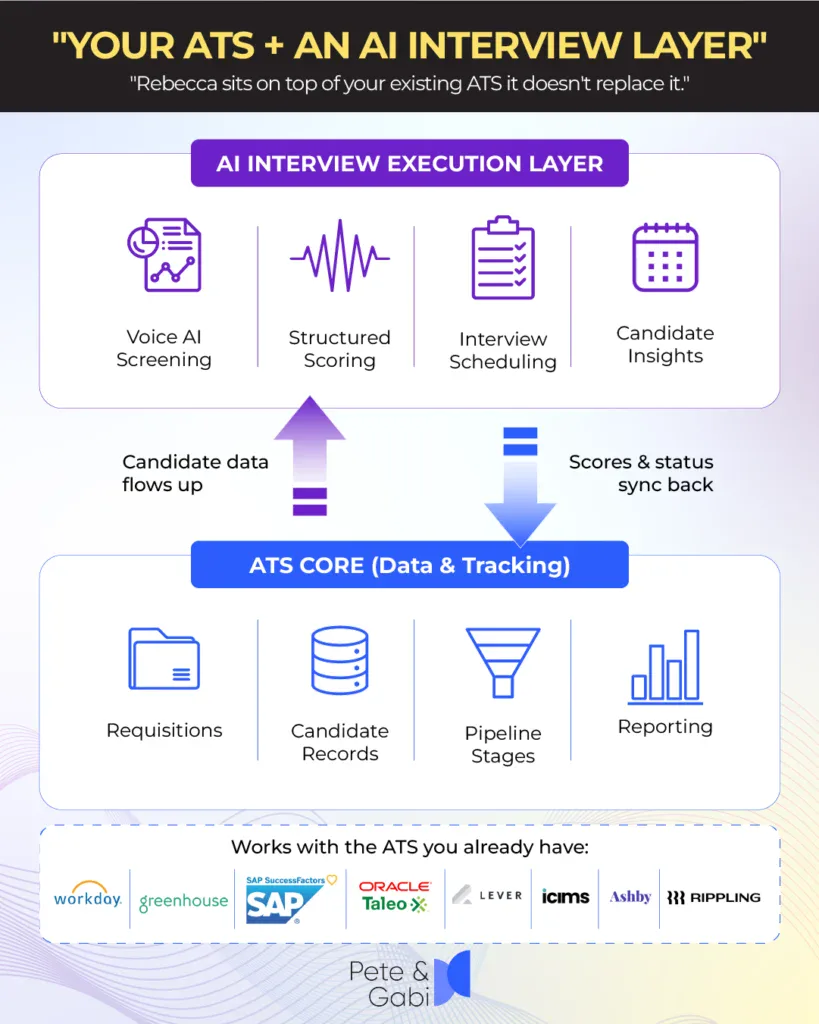
Here is how the two systems work together seamlessly:
- The Hand-Off: Your core software receives the incoming application.
- The Execution: The AI layer promptly interacts with the candidate and conducts a complete interactive voice interview to evaluate their real skills and competencies, not just read their CV.
- The Write-Back: Once the interview is over, the AI layer automatically writes back the structured scorecard, transcript and audio recording to the original candidate profile within your database.
By adding intelligent conversational screening on top of your current database, you can get rid of the need for manual phone screening without making your HR team learn a whole new main system. For a broader look at how different tools interact, read our full breakdown on recruitment software types, costs, and implementation.
Want to see how this workflow could work with your current ATS? Schedule a demo of Rebecca AI to see how automated candidate screening, evaluation, and ATS write-back can fit into your existing recruitment process.
What should you look for when your ATS needs an AI screening layer?
Adding a layer of intelligent evaluation to your database is a strategic operational upgrade. But it is important to evaluate technology vendors thoroughly to check for compatibility with your existing workflows so that you can ensure a smooth deployment.
When you are ready to improve your pipeline, be sure to look for these critical integration capabilities:
| Technical Requirement | Why It Matters for Your Recruitment Workflow |
| Bi-Directional Data Syncing | The AI tool must both pull candidate data from your database and push completed interview scorecards back into it seamlessly. |
| Automated Stage Triggers | The ability to automatically trigger an AI interview invitation the moment a candidate is moved to the “Screening” stage in your pipeline. |
| Explainable Evaluation Data | The AI must provide human-readable feedback and full transcripts directly inside the candidate’s existing digital profile for easy review. |
| Minimal Context Switching | Your human recruiters should be able to view all AI interview results without ever having to log out of their primary recruitment database. |
If you are currently planning a technology upgrade, explore our dedicated technical guide on how to safely implement an AI recruiting tool into your ATS to avoid common data migration pitfalls.
How does Rebecca integrate with the ATS you already use?
You should be able to upgrade your hiring pipeline without tearing out your foundational software and starting over. Today’s intelligent screening tools integrate with your current investments.
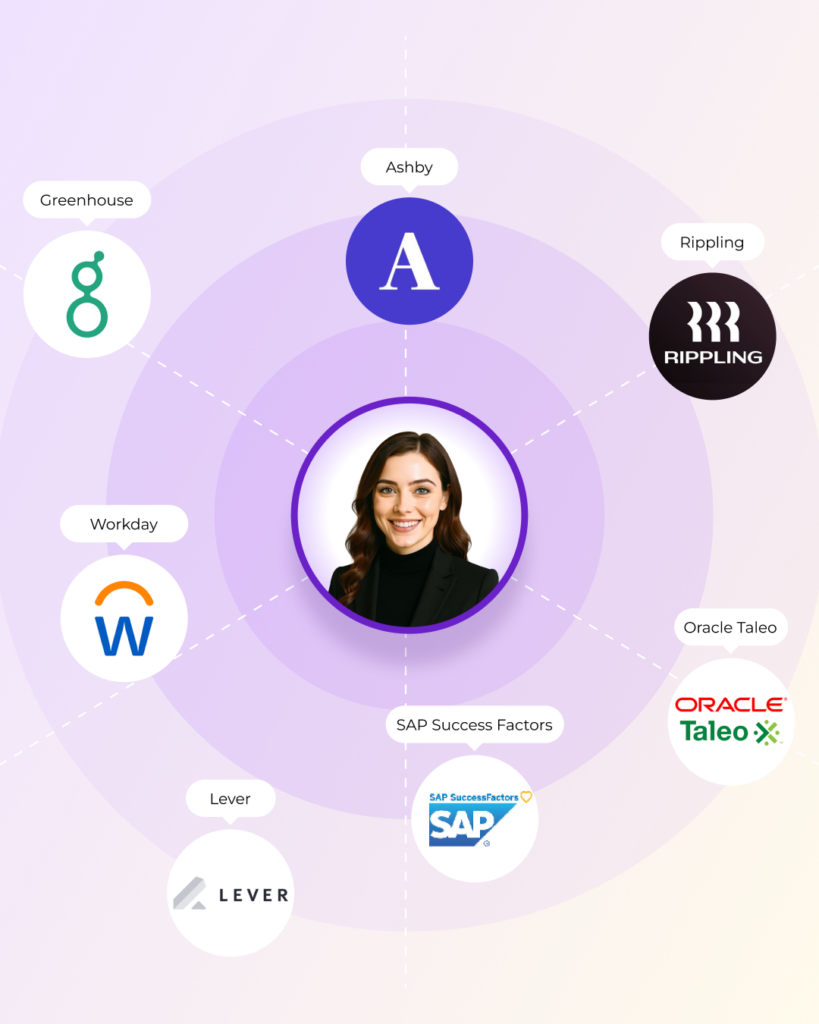
Rebecca AI Recruiter works directly with your ATS, serving as the conversational screening layer that your database is missing. Rebecca integrates seamlessly with the industry’s most trusted foundational platforms, including:
- Workday
- Greenhouse
- SAP SuccessFactors
- Oracle Taleo
- Lever
- iCIMS
- Ashby
- Rippling
When integrated, Rebecca handles the most time consuming part of the hiring lifecycle. It interacts with inbound applicants around the clock, conducts structured conversational interviews, assesses core competencies and securely syncs detailed scorecards back into your existing database. In the morning, your recruiters just log into their usual dashboard and check out a shortlist of fully-vetted candidates, no more manual phone screens and calendar coordination needed.
Ready to add conversational screening to your existing recruiting stack? Start your free trial of Rebecca to experience AI-powered candidate screening firsthand, or schedule a demo to discuss how Rebecca can integrate with your current ATS.